If you want a professional site live quickly, a lovable ai website builder lets you go from brief to publish without code. Describe your business, generate pages and copy, then refine everything in a visual editor. In this guide you’ll follow clear, numbered steps to plan, build, optimise and launch a credible website or store this week.
What Makes a lovable ai website builder Different?
Most builders help you place blocks on a page. The difference here is that the platform understands your business in plain English, proposes a structure (home, services, shop, booking, contact), drafts first-pass copy and images, and then lets you refine the result visually. That blend of generation plus full control is what makes the experience feel genuinely helpful rather than generic.
A lovable ai website builder should do three things well: reduce blank-page anxiety, keep you moving with sensible defaults, and grow with you when you’re ready for ecommerce, bookings or memberships. On Avantiy, you describe who you help and what you sell; the system assembles pages with headings, SEO basics and accessible components. You keep creative control—editing sections, toggling layouts and approving copy—while the AI suggests improvements. For small teams, this approach shortens the path from idea to an on-brand, working website without expensive custom development.
Beyond speed, look for trust-building fundamentals: ISO 27001 and SOC 2-grade infrastructure, UK-based support, and built-in accessibility tools. Pair that with practical extras like online booking, product variants, member areas and AI-guided SEO. You’ll spend time refining messaging and offers rather than wrestling with code or plugins.
Step-by-Step: Launch Your Site in a Weekend
Here’s a pragmatic sequence you can follow to go from nothing to a credible launch in 12 steps. If you’re switching from another system, treat these as a checklist and skip anything you’ve already nailed.
- Write a plain-English brief (20–60 words). State who you help, what you sell, where you operate, and your one-liner value proposition. Example: “We’re a London-based Pilates studio offering small-group reformer classes and 1:1 sessions with online booking.”
- Create your account and start a project. In Avantiy, start free and enter your brief. Choose a starting theme you like for typography and spacing—colours and sections are easy to adjust later.
- Generate your starter site. Let AI propose page structure, headings and first-draft copy. Expect a home page, key service/shop pages, about, and contact/booking.
- Pick your core layout. Decide on full-width hero, feature grids, and callouts that match your brand energy (calm and minimal vs bold and high-contrast). Replace stock imagery later.
- Refine your home page message. Edit the H1 and subhead to state value + audience + proof in a sentence. Keep buttons action-led: “Book a Class”, “Shop Prints”, “Get a Quote”.
- Shape your navigation. Keep it short: Home, Services/Shop, About, Contact/Book. Add secondary links (FAQ, Blog) in the footer.
- Draft service or product pages. For services, aim for problem → solution → process → price/CTA. For products, prioritise clear photos, variants, delivery/returns and reviews (if enabled).
- Connect bookings or checkout. Enable your calendar and appointment types or add products and shipping rules. Test a dry-run booking or test checkout end-to-end.
- Set your brand basics. Pick colour accents, heading/body fonts, and logo usage. Keep contrast accessible and save styles as global tokens so updates are one-click.
- Sort essential SEO. Write concise page titles and descriptions, add one on-page H1, and include internal links between related pages. Generate a sitemap automatically.
- Preview on mobile. Check tap targets, heading sizes, and long words. Tweak spacing for 320–768px widths and make sure forms are easy to use.
- Connect your domain and publish. Point DNS to Avantiy, confirm SSL, and publish. Revisit copy post-launch with real customer language captured from enquiries and support tickets.
At several points, the lovable ai website builder will offer alternative blocks, rewritten paragraphs, and suggested CTAs. Accept what’s good, adapt what’s close, and discard anything off-tone—the goal is a site that feels like you, faster.
How Do You Prepare Content and Brand Assets Fast?
Content prep shouldn’t stall your launch. Create a “minimum lovable” set of assets so you can publish while leaving room to iterate. Start with a one-page brand guide: logo (SVG/PNG), primary colour (with accessible contrast), two web-safe fonts, and example photography style (product close-ups, candid team shots, or textured flat-lays). Keep the guide handy for consistent choices across pages and future campaigns.
Next, outline your top three pages. For each, list: target reader, one-line promise, three supporting bullets, one testimonial or proof point (if you have it), and one clear action. Write in natural language—then use AI to tighten sentences and remove fluff. If you don’t have photos yet, use neutral placeholders and plan a quick half-day shoot with a smartphone and window light. Focus on authenticity over perfection.
For pricing and packages, resist complexity. Offer one flagship service or product bundle, then two sensible alternatives (budget and premium). If you provide services, include a basic “What’s included” list and mention typical timelines. If you sell goods, cover delivery windows and returns in plain English. These details reduce friction and build trust before anyone reaches checkout or booking.
Which Site Structure Should Small Businesses Choose?
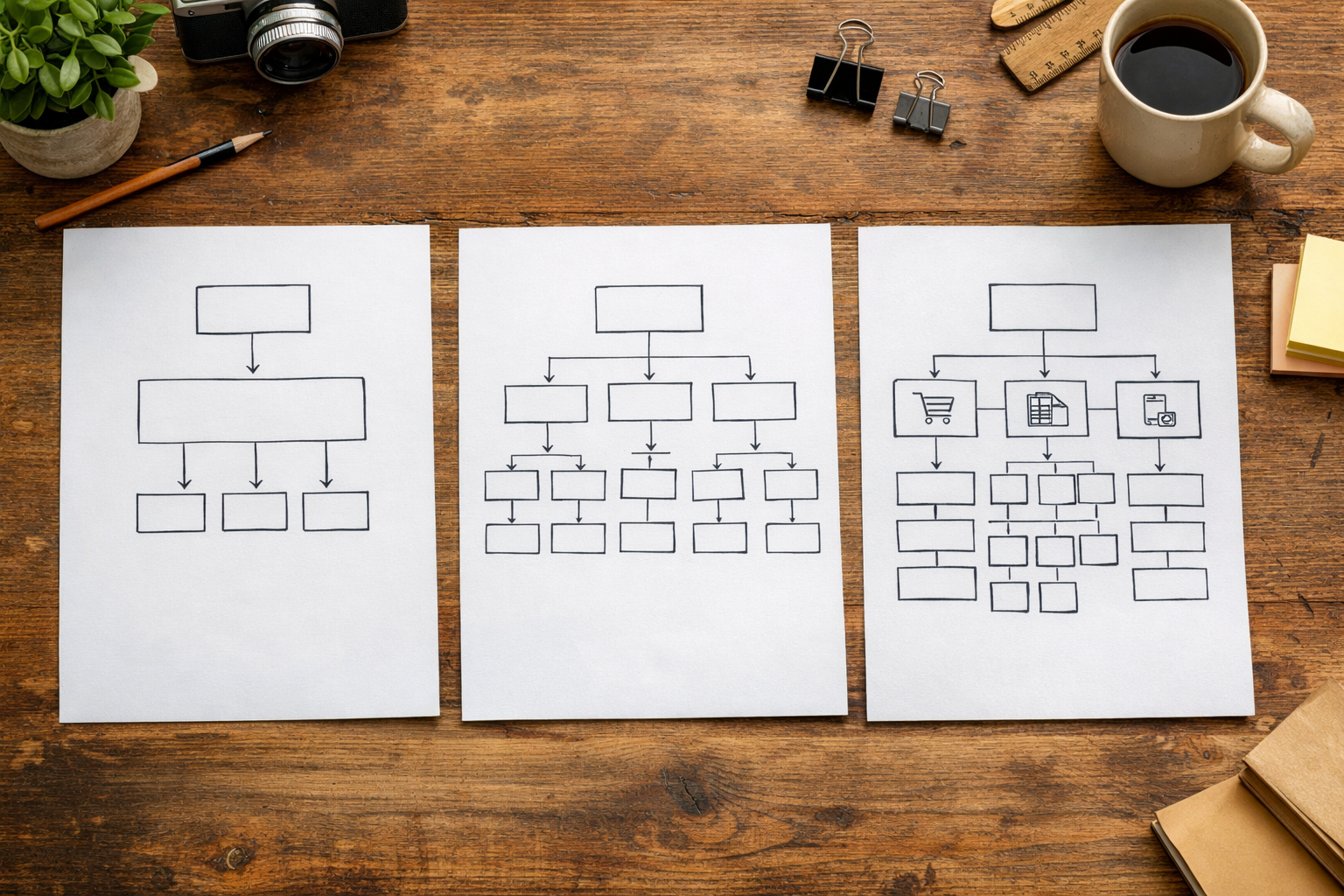
Structure affects clarity, speed and SEO. Choose the lightest structure that fits your offer today while leaving room for tomorrow. A freelancer might start with a focused single-page site, while a retailer needs categories and filters from day one. Use the table below to pick a starting point you can comfortably maintain.
| Structure | Best For | Must-Haves | Typical Nav |
|---|---|---|---|
| Single-Page (Long) | Solo pros, events, early-stage ideas | Strong hero, services grid, testimonials, contact form | Home, (Footer: About, Privacy) |
| Brochure (3–7 pages) | Local services, studios, charities | Home, Services, About, Contact/Booking | Home, Services, About, Book |
| Service-Led with Booking | Clinics, coaches, salons | Service detail pages, calendar, policies | Home, Services, Book, FAQ |
| Ecommerce (10–200 products) | Retailers, makers | Categories, filters, cart, checkout, shipping | Home, Shop, About, Support |
| Membership/Community | Clubs, training providers | Sign-up, member area, content library | Home, Join, Library, Account |
Whichever route you pick, keep navigation short and descriptive. Internal linking does the rest: link related services, cross-link a guide to the relevant product, and surface FAQs where questions arise. For a pricing view on the market, see our best website builder for small business UK breakdown and weigh platform value against your maintenance time. If in doubt, launch smaller and add depth once you see how visitors browse in analytics.
As you refine, you can reference your original brief and re-run the generator to propose new sections that fit your structure. This is where the lovable ai website builder shines: it helps you grow without ripping up your foundation.
E-commerce, Bookings and Memberships: What Fits Your Offer?
Choose the transaction model that matches how customers expect to buy. If you deliver a service with time slots (physio, grooming, coaching), online booking saves back-and-forth and keeps your calendar full. If you sell products, prioritise a clean catalogue, variant handling (sizes, colours), and straightforward shipping/returns. For training or clubs, memberships unlock gated content and recurring revenue—keep onboarding simple and value obvious.
Map the minimum journey for each model. Bookings: pick service → see availability → confirm → pay/deposit → reminders. Ecommerce: browse → filter → product page → basket → checkout → confirmation. Memberships: plan comparison → sign-up → welcome content → next step. Write the copy at each step before you style the screens. Clarity first, cosmetics second.
One useful test: can a new visitor complete your main action in under a minute on mobile? Time it. If not, remove friction: fewer fields, clearer labels, and one decisive CTA per screen. Use concise microcopy (e.g., delivery windows, cancellation rules) to prevent support emails later.
Want a Quick Guided Setup?
If you’d rather not go it alone, you can schedule a short, practical session with a UK-based specialist. They’ll help you shape your structure, tune copy for relevance, and switch on bookings, memberships or a starter shop. You keep full control in the visual editor; the guidance simply jump-starts momentum and avoids rabbit holes.
Sessions focus on outcomes: a crisp home page with a persuasive call to action, a service or product flow that feels natural, and a navigation that makes sense to first-time visitors. You’ll also get pointers on accessibility and basic SEO so you don’t need to untangle it later. It’s a great option if you have two hours this week and want to ship something real.
Ready to accelerate? Book personalised setup training and arrive with your brief, logo, and one or two competitor examples you like. By the end, you’ll have a site you can publish or refine with confidence. This is also a smart moment to ask about automations (emails, form handoffs) and how to collaborate with teammates in the editor.
Even with a lovable ai website builder guiding you, that human checkpoint can be the difference between almost-done and live—particularly if you’ve been staring at the same copy for weeks.
On-Page SEO in 2026: A Pragmatic Setup You Can Finish Today
SEO can be simple on day one. For each page, write a clear title (60–65 characters), a meta description that sets an expectation, one H1 that matches the page goal, and a few internal links to related content. Describe images meaningfully with alt text. If your page answers a question, use a short paragraph near the top that states the answer in plain language.
Build a “service area” block if you serve local customers. Mention your town and surrounding areas in natural sentences (not a spammy list). Add your opening hours, phone number and a map on your contact page. As you publish, generate your sitemap automatically and check that robots.txt allows crawling. For reference on crafting pages that convert from search, study our practical SEO landing pages case walkthrough.
Use schema where it fits: organisation, product, FAQ, and local business. Your platform should surface these as toggles rather than code. After launch, keep a simple log: which pages you added, the query you targeted, and what you’ll measure (calls, bookings, orders). A lovable ai website builder can also suggest related topics to cover next, helping you build a tidy cluster of pages that reinforce each other.
Accessibility and Trust: How to Build Inclusively and Stay Compliant
Inclusive design improves outcomes for everyone. Use sufficient colour contrast, keyboard-friendly navigation, descriptive link text and meaningful alt text. Avoid walls of centred text, confirm focus order in forms, and keep headings in a sensible hierarchy. Accessibility isn’t a one-off checklist—it’s a way of designing and writing that reduces friction for real people.
In the UK, public sector sites must meet accessibility regulations, and while private businesses aren’t under the same specific standard, meeting recognised guidelines is best practice for credibility and reach. To understand what good looks like, see the GOV.UK guidance on making your website accessible and the W3C WCAG standards. Your platform should provide accessible components out of the box, warn about low contrast, and help you generate an accessibility statement.
Trust also means secure infrastructure and clear policies. Avantiy runs on ISO 27001 and SOC 2 certified infrastructure, with SSL by default and backups handled for you. Publish plain-English privacy and returns/cancellations pages and keep your contact details visible. These signals reduce hesitation and increase conversions—especially for first-time visitors arriving via search.
Performance, Hosting and Security: What Should You Expect in 2026?
Fast sites convert better. Expect global CDN delivery, image optimisation, lazy-loading and efficient fonts baked in. Avoid heavy scripts you don’t need and keep third-party embeds to the essentials. In the editor, prefer native components over bolted-on widgets, and compress any downloadable assets (PDFs, brochures) before uploading.
Security should be invisible yet robust: automatic SSL, daily backups, role-based access for your team, and monitored infrastructure. Keep admin accounts to a minimum, use strong passwords and two-factor authentication, and review access quarterly. For a concise overview of sensible controls, the NCSC Small Business Guide is a solid reference for non-specialists.
On Avantiy, hosting, scaling and patches happen behind the scenes so you can focus on content and offers. If you run seasonal campaigns, the platform should autoscale to handle spikes. A lovable ai website builder should help you catch common risks early too—flagging missing alt text, bloated images or uncompressed videos that can slow pages down.

Collaboration and Handover: Keep Teams in Sync
Even small teams benefit from structure. Agree who owns messaging, images, and publishing rights. Use draft/publish states and comments to keep feedback in the tool, not scattered across emails. Create a simple content calendar for the next six weeks—two updates per week is plenty to keep momentum and give search engines fresh signals.
When handing over to a client or colleague, record a 10-minute loom or write a one-page note showing how to edit a section, add a product, publish a blog post, and roll back changes. Store brand tokens (colours, fonts, spacing) in one place so new pages stay consistent. If you use memberships or bookings, document the refund and cancellation process too—future you will thank present you.
Good collaboration reduces rework. With an AI-assisted builder, team members who don’t write daily can still produce clean, on-brand copy—just feed the generator with a clear brief and tone pointers. Keep the main CTA steady across pages, and revisit only when your offer materially changes.
Measure, Iterate, and Grow: Turning Launch into Leads
Launch is the start, not the finish. Decide what “good” looks like this month: five enquiries, ten trial bookings, or twenty orders. Instrument your forms and buttons so you can attribute results. Review top pages weekly and tweak first-screen copy, images and CTAs based on behaviour—small, consistent edits beat giant redesigns.
Build a simple habit loop. Every Tuesday: add or improve one page targeting a real customer question. Every Thursday: ship one micro-optimisation—faster image, clearer CTA, or a new internal link. Use AI suggestions to tighten headings or generate alternatives, but always keep your voice. A lovable ai website builder accelerates these cycles by making content changes safe and quick to publish.
For structured improvement, bookmark our practical no-code website builder checklist and the broader UK small business and ecommerce guide. Both pair well with an experimentation mindset: plan → change → measure → keep or revert. Over time, your site becomes a compounding asset rather than a one-off project.

Frequently Asked Questions
How long should I budget to get a small site live?
With a clear brief, two to four focused hours can generate and shape a credible first version, and another two to four hours can connect bookings or a simple shop. Leave a buffer for domain setup and testing forms. Plan one more hour for a post-launch pass once you’ve seen it on your own devices.
Do I need professional photos before I publish?
No. Use clean, well-lit smartphone photos and replace them later. Prioritise authenticity and clarity over perfection. Plan a short shoot focusing on your product or service in context. When you do commission a pro, share your site’s layout in advance so they shoot to the aspect ratios and crops you actually need.
What pages should every service business include?
Start with Home, Services (with individual detail pages for key offers), About, and Contact/Booking. Add FAQs and policies once you have common questions. Keep navigation short and use internal links to provide depth. A clear, visible call to action on every page matters more than adding lots of minor subpages.
How do I keep my site accessible as it grows?
Adopt habits, not just a checklist: maintain heading order, use meaningful link text, maintain colour contrast, label form inputs, and provide alt text for images. Test with a keyboard and a screen reader periodically. Build with accessible components by default and review the GOV.UK and WCAG resources at least once a quarter.
Is blogging still worth it in 2026?
Yes—if you focus on buyer-relevant topics and useful answers. Treat posts as landing pages for real questions, not diaries. Aim for one helpful piece per week or fortnight, interlink related pages, and keep updating successful posts. Quality and consistency beat volume, especially when paired with clear CTAs and fast load times.
Ready to move from planning to publishing? Create your free Avantiy account, sketch your 20–60 word brief, and book a guided setup when you want expert momentum. You can keep the site free until you publish, so there’s no pressure—just progress.